
Where it fits
Odoo Project is not trying to be a heavyweight project planning tool. It has no complex critical path analysis and no elaborate resource levelling.
What it does have is something more useful for most businesses: tasks connected to the rest of your company.
A task can be linked to a customer, generate a timesheet entry, and turn those hours into an invoice. That chain is the reason to run projects inside Odoo rather than in a separate tool.
Projects and tasks
A project is a container. A customer engagement, an internal initiative, an ongoing service line.
A task is a piece of work inside it, with an owner, a deadline, a description and a stage.
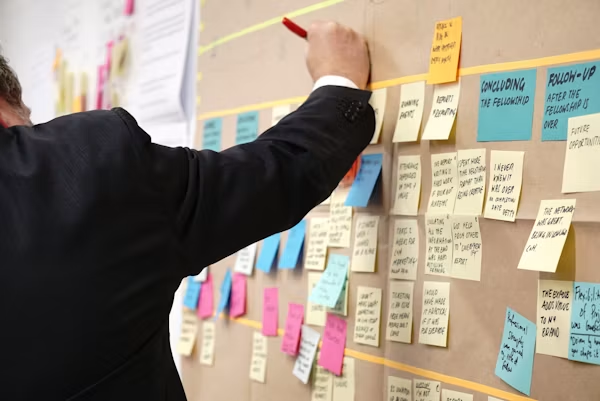
Tasks move through stages on a kanban board. You define the stages, and they should describe what has happened rather than what someone hopes.
A working set for most teams: New, In Progress, In Review, Done. Add stages only when you can say what decision each one supports.
Setting up a project properly
Choose your stages carefully
The same rule as the CRM pipeline. Under seven stages, each one a checkable fact.
“In Review” is checkable — either someone is reviewing it or they are not. “Nearly Done” is an opinion, and every person will read it differently.
Decide the billing model first
If this is customer work, decide before you start:
Fixed price. You agreed a price. Timesheets tell you whether you made money, but do not drive the invoice.
Time and materials. You bill hours worked. Timesheets drive the invoice directly.
Milestone. You bill at defined points as work is delivered.
This choice affects how you configure the project and how the sales order links to it. Changing it halfway through an engagement is messy.
Templates for repeat work
If you deliver the same kind of project repeatedly, build a template with the standard task list.
Every new project starts with the tasks already there. It saves setup time and, more importantly, it stops people forgetting steps.
Timesheets on tasks
Employees log hours against tasks. Odoo shows planned versus actual on every task and rolls it up to the project.
Two things this gives you.
Billing. With time and materials, logged hours flow into the customer invoice. Log the hours, invoice the hours, no re-entry.
Honesty about cost. Even on fixed-price work, knowing that a job you quoted for forty hours took seventy is how the next quote gets better.
The requirement: people have to actually log time. This is a management commitment. Partial timesheet data is worse than none, because it looks complete and is not.
Connecting projects to sales
The link between Sales and Project is what makes this worth doing.
Set a service product to create a task or create a project when the sales order is confirmed. Now selling the work automatically creates the work.
The chain runs: quotation → sales order → project and tasks → timesheets → invoice.
For a services business, that is the whole operational cycle in one system, with no export at any point.
FIGURE 1: FROM QUOTATION TO INVOICE, THROUGH THE WORK
Quotation
- Service sold
Project and Tasks
- Created automatically
Timesheets
- Hours logged on tasks
Invoice
- Billed from those hours
Useful features
Sub-tasks. Break a large task down while keeping it linked to the parent.
Recurring tasks. For maintenance or anything on a schedule.
Task dependencies. Mark that one task blocks another. Light, but enough for most work.
Planned hours. Set an estimate on each task. Combined with timesheets, this is where estimation actually improves.
Customer portal access. Let the customer see task progress on shared projects. This eliminates a surprising number of status update emails.
Milestones. Define delivery points, and optionally tie invoicing to them.
Reports worth using
Task analysis. Open tasks by stage, owner and deadline. Where things are stuck.
Timesheet analysis. Hours by project, person and task. Where time actually goes.
Project profitability. Revenue against cost of hours logged. The report that tells you which kind of work is worth doing more of.
Planned versus actual hours. Your estimation accuracy. Look at this every quarter and your quoting improves.
That last one is the most valuable and the least used. Most companies estimate badly and never find out by how much.
FIGURE 2: DECIDE THE BILLING MODEL BEFORE THE FIRST TASK
Fixed price
- You agreed a price. Timesheets tell you whether you made money, but do not drive the invoice.
Time and materials
- You bill hours worked. Timesheets drive the invoice directly.
Milestone
- You bill at defined delivery points as work is completed.
What usually goes wrong
Too many stages. People stop moving cards, and the board stops reflecting reality.
Tasks with no owner. Work that belongs to everybody belongs to nobody.
Timesheets half-filled. Half your team logs time. Your profitability report is now confidently wrong.
No planned hours. Without an estimate there is nothing to compare actuals against, and estimation never improves.
Projects that never close. Finished work sitting open for months, cluttering every report. Close them.
Using it as a report for management only. If the team updates the board weekly so someone can run a report, it is a spreadsheet with extra steps. It has to help the person doing the work.
Getting started
- Set up one project with four or five clear stages
- Decide the billing model before the first task
- Set planned hours on tasks from the start
- Turn on timesheets and make logging a firm daily habit
- Link service products to project or task creation
- Give portal access to customers on shared work
- Review planned versus actual after the first month
Point 7 is where the value shows up. The first honest comparison of estimated against actual hours is usually uncomfortable and always useful.
Running customer projects and not sure which ones make money?
Get in touch. We connect projects, timesheets and invoicing so profitability is a report rather than a guess.
Related reading: Odoo Inventory Management: A Practical Guide · Odoo HR and Employee Management · Why Businesses Choose Odoo