
Buying software is not the project
Installing Odoo takes an afternoon. Some hosting options take fifteen minutes.
Implementation is everything else — and it is the part that decides whether the project works.
Implementation means taking a general-purpose system and making it match how your specific business runs. Your products, your warehouse, your approval rules, your accounts, your people. Without it, you have a well-built system that knows nothing about you.
This is why two companies can buy the same software and get completely different results.
The stages of a real implementation
1. Discovery
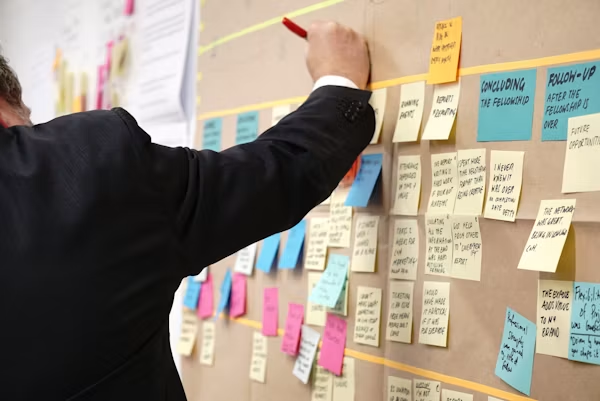
Before anyone touches the system, somebody has to understand how your business actually works.
Not how the handbook says it works. How it really works, including the exceptions everybody knows about and nobody has written down.
This stage produces a document describing your current process end to end — enquiry to cash, and purchase to payment — with the points where it breaks or gets stuck.
Watch out for: a partner who skips this and goes straight to configuring. They are guessing, and you will pay for the guesses later.
FIGURE 1: THE STAGES OF A REAL IMPLEMENTATION
Discovery
- Understand the process
Design
- Make the hard decisions
Build
- Configure and develop
Test
- Your team runs real cases
Go-live
- Switch over and support
2. Design
Now the decisions get made. These are the ones that are expensive to change later:
- Your chart of accounts structure
- Your warehouse and location layout
- Your stock valuation method — standard, average or FIFO, and whether valuation posts automatically
- Your units of measure for every product type
- Your approval rules and who holds them
- What must be custom-built versus what standard Odoo already does
Design should also decide what you are not doing. A good partner will talk you out of things.
FIGURE 2: THE DESIGN DECISIONS THAT ARE EXPENSIVE TO CHANGE LATER
Chart of accounts
- Agree it with your accountant before anything is configured.
Warehouse and locations
- Keep the structure flat. Deep hierarchies become a burden.
Units of measure
- Blocked by Odoo once a product has transaction history.
Costing and valuation
- Standard, average or FIFO — and whether valuation posts automatically.
3. Configuration
The system gets set up to match the design. Apps installed, settings chosen, accounts created, warehouses defined, users and permissions established.
Most of this is configuration in the interface, not code.
4. Custom development
Whatever your business needs that standard Odoo does not do.
A jewellery business pricing by daily gold rate. A supplier needing credit blocking on two conditions at once. A services firm with client-specific approval chains.
This work goes into separate modules rather than modified core code. That is what allows a version upgrade later without losing your changes.
Watch out for: a partner who edits Odoo’s own files directly. It works today and it will hurt at every upgrade for years.
5. Data migration
Master data first, then opening balances, then stock, then open transactions. Cleaned before importing, never after.
This always takes longer than anyone expects, because the cleaning is real work and it usually surfaces disagreements about which file is correct.
6. Testing — UAT
User Acceptance Testing is where your own people run real scenarios in a test system and confirm the results.
Not a demo. Real scenarios: take orders from last month, run them through, and check the output matches what actually happened.
This stage catches the expensive problems while they are still cheap. Companies that shorten UAT to save time almost always pay for it after go-live.
7. Training
Two kinds, and both are needed.
Role training — the warehouse team learns receiving and picking. Accounts learns invoicing and reconciliation. Sales learns quotations.
Process training — how work now flows between teams, and what changes about who does what.
The second is the one people skip, and it is the one that determines whether the new system is actually used.
8. Go-live
Switching over. Final data import, final balance checks, and the first live transactions.
Expect a slower fortnight. People will be careful and will ask questions. That is normal and healthy.
9. Support and stabilisation
The weeks after go-live, when real use finds the things testing missed.
Budget for this. A project that ends the day you go live is not finished — it is abandoned.
How long it takes
Honest ranges, assuming your side gives it proper attention:
Simple — a few apps, clean data, no customisation: several weeks.
Typical — core apps, some customisation, real data cleaning: a few months.
Complex — multi-company, multi-warehouse, significant custom development: longer, and it should be phased.
The single biggest factor is not the software. It is how quickly your side can make decisions and clean data. Projects rarely stall on code. They stall waiting for someone to confirm the chart of accounts.
What makes projects fail
Five patterns, in rough order of how often they appear.
No internal owner. Somebody inside your company must own this and be able to decide. If every question goes into a committee, the project stops.
Skipping discovery. Configuring before understanding produces a system that fits nobody.
Dirty data. Bad master data poisons everything built on top of it, and it is far harder to fix after go-live.
Over-customising. Every custom module is something to maintain and upgrade forever. Change your process where you reasonably can; customise where your process is genuinely a competitive advantage.
Treating training as optional. People who do not understand the system will keep their spreadsheet. Then you have two systems and trust in neither.
FIGURE 3: WHAT SEPARATES A GOOD PROJECT FROM A BAD ONE
Projects that work
- One internal owner who can decide
- Discovery before configuration
- Clean data before import
- Real testing by your own team
Projects that fail
- Every question goes to a committee
- Configuring on assumptions
- Dirty data imported as-is
- Testing shortened to save time
What to ask a potential partner
Five questions worth asking before you sign anything:
- How will you understand our process before configuring?
- Will custom work be in separate modules, and can we see the code?
- What happens at the next version upgrade?
- Who trains our team, and how much time is allocated?
- What support do we get after go-live, and for how long?
The answers tell you more than any list of past clients.
The short version
Implementation is not installation. It is the work of translating your business into a system.
Done well, you get answers you trust and time back every week. Done badly, you get expensive software that people work around.
The difference is almost never the software. It is the care taken before anyone configures anything.
Planning an Odoo implementation?
Get in touch. We start with your process, not with the software — and we will tell you which of your requirements standard Odoo already handles.
Related reading: Why Businesses Choose Odoo · Odoo module – Purchase Payment Status · What Is Odoo?