
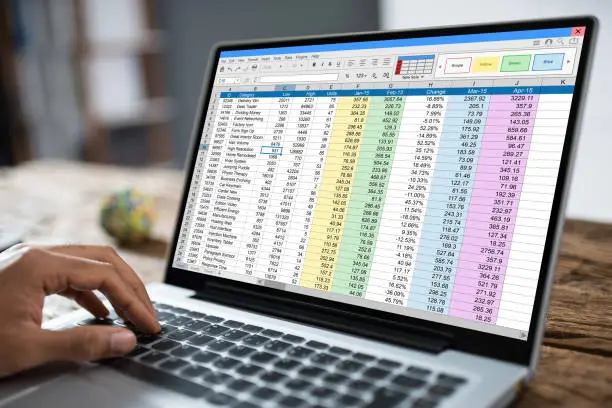

The problem with bulk imports
Importing a spreadsheet sounds simple. It is not, for four reasons.
Volume. Hundreds or thousands of rows, each needing a record created.
Duplicates. Run it twice and you get two of everything, unless something prevents it.
Bad rows. Missing fields, wrong formats, values that do not match anything.
Partial failure. It gets to row 340 and something breaks. What now?
Odoo’s own import handles simple cases well. A workflow earns its place when the file needs validating, transforming, or checking against existing records first.
Reading the file
A Spreadsheet File node converts CSV or Excel from binary into structured records the workflow can work with.
Each row becomes an item. Which means the next node runs once per row — 500 rows, 500 executions.
That is usually what you want, and it is also why bulk imports need batching. More on that below.
Map the fields explicitly
Do not rely on the file’s column names matching your fields.
Map them in one visible place — source column to target field. Restaurant name to partner name, licence number to reference, expiry date to a date field.
Two reasons this matters:
Source column names change. A published spreadsheet gets reformatted and suddenly “Licence No” is “Licence Number”. With mapping in one place, that is a five-minute edit.
It documents itself. Somebody reading the workflow can see exactly what goes where.
FIGURE 1: THE IMPORT CHAIN
Read the file
- CSV or Excel to structured rows
Validate
- Reject bad rows loudly
Check existing
- Search before creating
Create in batches
- With a summary at the end
Validate before you import
Check each row before doing anything with it.
What to check:
Required fields present. A row with no identifier cannot be matched or created sensibly.
Formats correct. Dates that parse. Numbers that are numbers. Phone numbers in a consistent shape.
Values that must match something. A category, a country, a currency — does it exist in Odoo?
What to do with a bad row:
Skip it, log it, and continue. Then report all the skipped rows at the end.
Not: stop the whole run. One bad row out of 500 should not block the other 499.
Not: import it anyway with blanks. That creates records somebody has to clean up later, and nobody will.
The duplicate check
The most important part of any import workflow.
Imports get re-run. Somebody tests it. A file gets sent twice. A scheduled job overlaps with itself.
Without a duplicate check, each of those doubles your data.
The pattern:
Search Odoo for the record using a stable identifier.
If found, either update it or skip it — decide which, per import.
If not found, create it.
Match on something that does not change. A licence number, a registration number, a SKU, an order reference.
Never match on a name. Names get edited, and the day somebody fixes a spelling you get a duplicate — silently.
FIGURE 2: THE FOUR THINGS EVERY IMPORT NEEDS
A duplicate check
- On a stable identifier. Without it, every re-run doubles your data.
Row validation
- Skip and log bad rows. Do not stop the run, do not import blanks.
Batching
- Fewer round trips, fewer timeouts, less strain on Odoo.
A run summary
- Created, updated, skipped, failed — with the failures listed.
Batching
Sending 500 records one at a time is slow and it loads Odoo unnecessarily.
Batch them. Process 50 at a time, or use Odoo’s ability to create several records in one call.
Two benefits:
Speed. Fewer round trips.
Reliability. Fewer chances for a timeout, and less strain on the target system.
Find the right batch size by testing. Too small and you gain nothing. Too large and a single failure takes the whole batch with it.
Partial failure
Decide in advance what happens when it fails at row 340.
Option 1 — continue. Log the failure, carry on, report everything at the end. Right for most data imports, where one bad row should not block the rest.
Option 2 — stop. Right when the rows depend on each other, or when a partial import would leave inconsistent data.
Whichever you choose, you must know where it got to. A run that failed halfway with no record of what was created is the worst outcome — you cannot safely re-run and you cannot safely continue.
Which is why the duplicate check matters even more here. With it, re-running a failed import is safe: the rows already created are found and skipped.
The run summary
Every bulk import should end with a summary, sent to a person.
What it should say:
- Rows read
- Records created
- Records updated or skipped as duplicates
- Rows rejected in validation, and why
- Rows that failed, and why
Without this, an import that half-worked looks identical to one that fully worked. Somebody finds out three weeks later when a report is short.
Related records
Most imports create more than one thing per row.
A licence import creates a contact and a licence record linked to it.
A product import may create a category, then the product.
An order import creates a partner, then the order, then the lines.
The order matters. Create the parent first, get its ID, then create the child linked to it.
And each level needs its own duplicate check. The contact might exist even when the licence does not.
FIGURE 3: AN IMPORT THAT STAYS CLEAN AND ONE THAT DOES NOT
Stays clean
- Duplicate check on a stable ID
- Bad rows skipped and reported
- Safe to re-run after a failure
- A summary somebody reads
Creates cleanup
- No duplicate check — re-runs double the data
- Bad rows imported with blank fields
- Nobody knows where a failed run stopped
- Silent partial success
Where the file comes from
Three common sources, and each changes the trigger.
Uploaded by a person. A webhook receives the file, or it lands in a watched folder.
Sent by another system. A webhook, or fetched on a schedule.
Downloaded from somewhere. A published dataset, a supplier portal. Fetched on a schedule, or by a separate step if the source needs navigating.
One useful principle: send the whole file in one request rather than row by row. Fewer executions, and no risk of half a file arriving.
Testing
Test with a real file, not a clean sample.
Specifically test:
- A row with a missing required field
- A row with a name containing an apostrophe or unusual character
- A record that already exists in Odoo
- The same file imported twice — you should get no duplicates
- A file larger than usual
- A file with an unexpected extra column
The double-import test is the one that matters most. If running it twice creates duplicates, the workflow is not ready.
The short version
Bulk import is not just reading a file. It is validate, check, batch, and report.
The duplicate check on a stable identifier is what makes it safe to re-run — and imports always get re-run eventually.
Skip bad rows and report them. Do not stop the run and do not import blanks.
And end every run with a summary somebody actually reads. An import that half-worked looks exactly like one that worked.
Spreadsheets being typed into Odoo by hand?
Get in touch. We build imports with validation, duplicate detection and a run summary — so re-running is safe and half-failures are visible.
Related reading: How to Move from Excel to Odoo · Why Businesses Choose Odoo · Odoo module – Purchase Payment Status


Permalink