
Two kinds, opposite directions
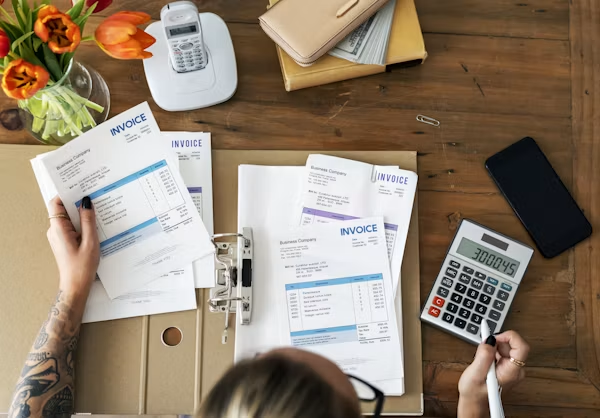
Customer invoices are what you send out. Money coming in.
Vendor bills are what suppliers send you. Money going out.
Odoo handles both in the Accounting or Invoicing app, and they behave as mirror images of each other. This article covers both, but focuses on customer invoices.
Where a customer invoice comes from
Three routes.
From a sales order. The usual one. The order is confirmed, the goods are delivered, and a Create Invoice button appears. The invoice is drafted from the order — customer, products, prices, taxes and terms all carried across.
Directly. For anything without a sales order. A one-off charge, a service, a correction.
From a subscription. Generated automatically each period.
The first route is the point of running invoicing inside your ERP. Nobody retypes anything. The invoice reflects what was actually ordered and delivered.
The invoicing policy
A per-product setting, and it decides what gets billed.
Invoice on delivered quantities. You bill what you actually shipped. If you sent 8 of 10, you invoice 8.
Invoice on ordered quantities. You bill what was ordered regardless of delivery.
Which to use:
Delivered for physical goods. It is safer and it is correct — you should not be billing for things you have not sent.
Ordered for services and prepayments, where there is nothing to deliver.
Check this per product before go-live. Physical goods set to invoice on ordered quantities is a common configuration error, and it produces invoices for undelivered stock.
FIGURE 1: CHOOSING THE INVOICING POLICY
Invoice on delivered
- Bill only what was shipped
- Partial delivery bills partially
- Correct for physical goods
- Safer by default
Invoice on ordered
- Bill what was ordered
- Delivery is irrelevant
- Right for services and prepayments
- Risk of billing what you have not sent
Draft and posted
The distinction that explains most invoice questions.
Draft. Fully editable. No number assigned. No accounting entries. It does not exist as far as your books are concerned.
Posted. It has a sequence number, journal entries have been created, and it is part of your accounts. It cannot be edited.
Why posting is one-way: an invoice is a legal and accounting document. Once it has a number and has hit your ledger, changing it silently would break both your audit trail and, in most jurisdictions, the law.
Check drafts carefully before posting. That is the moment to catch mistakes, and it is cheap. Afterwards it is not.
Correcting a posted invoice
You issue a credit note — an invoice in reverse that cancels or reduces the original.
Odoo gives you options:
Full refund. Reverses it entirely.
Full refund and new draft. Reverses it and creates a fresh draft to correct and reissue. This is usually what you want when there was a mistake.
Partial. Credit only part of it.
This is not Odoo being awkward. It is standard accounting practice, and any auditor will expect exactly this. The trail shows what was issued, what was credited and what replaced it.
FIGURE 2: HOW A MISTAKE IS CORRECTED
Posted invoice
- Cannot be edited
Credit note
- Reverses it, fully or partly
New draft
- Corrected version
Posted again
- With a clear trail of what happened
Payment terms
Payment terms control when an invoice is due, and they can define instalments.
Simple: due in 30 days.
Instalments: 30% on receipt, 70% at 60 days. Odoo splits the receivable into separate due dates, which means your aged receivable report is accurate rather than approximate.
Terms are set on the customer and carried onto their invoices, so nobody has to remember them.
Taxes
Tax comes from two places: the tax on the product and the fiscal position on the customer.
The fiscal position handles the exceptions — export customers, unregistered customers, special treatments where you operate. It maps the default tax to the right one automatically.
Get fiscal positions right early. They prevent a whole category of manual correction, and correcting tax after posting means credit notes.
Down payments
For deposits taken before delivery.
From the sales order, create a down payment invoice — a fixed amount or a percentage. When you invoice the balance later, Odoo deducts what was already paid.
Useful for: anything made to order, large orders, or new customers.
Vendor bills
The mirror. Two routes in.
From a purchase order. The bill is drafted from received quantities. Your job is to compare it against what the vendor actually charged — the three-way match of order, receipt and bill.
Directly, for anything without a purchase order.
Odoo can also read scanned bills and extract the vendor, dates, amounts and lines. The extraction is good and it is not perfect — check it, particularly the tax treatment and account allocation, before posting.
What usually goes wrong
Wrong invoicing policy. Physical goods invoicing on ordered quantities.
Posting without checking. The draft stage is your one cheap opportunity.
Fiscal positions not set up. Every export invoice needing manual tax correction.
Deleting instead of crediting. Sometimes possible for drafts, never right for posted invoices.
Sales orders delivered but never invoiced. Check this monthly. Revenue you earned and never billed is more common than people expect.
FIGURE 3: FOUR MONTHLY CHECKS ON INVOICING
Deliveries not yet invoiced
- Revenue you earned and never billed. More common than you would think.
Receipts not yet billed
- A liability you have not recorded.
Aged receivable reviewed
- Who owes you, and for how long.
Draft invoices sitting
- Posted late means your revenue is understated this month.
Sending and getting paid
Email from Odoo, using a template you control. Delivery is recorded.
The customer portal lets them view and download invoices themselves, and pay online if you enable a payment provider.
Follow-up levels in Enterprise send reminders automatically at intervals you define — a first polite reminder, a firmer one later, escalation to a person after that.
This last one is worth setting up. Most companies chase inconsistently, and consistency collects more than tone does.
The short version
Invoices come from sales orders and inherit everything, so nothing is retyped.
Draft is editable. Posted is not. Check carefully before posting, because afterwards a correction means a credit note.
Set the invoicing policy per product — delivered for goods, ordered for services — and get your fiscal positions right early.
And check monthly for deliveries that were never invoiced. It is the quietest way to lose money you have already earned.
Invoices needing manual correction, or revenue slipping through unbilled?
Get in touch. We will check your invoicing policies and fiscal positions — that is where most of it originates.